CAD software used in jewelry design

Computer-aided design (CAD) is a valuable tool in the jewelry industry, since it allows designers to create precise and detailed three-dimensional models. Here are some popular CAD programs used in jewelry design:
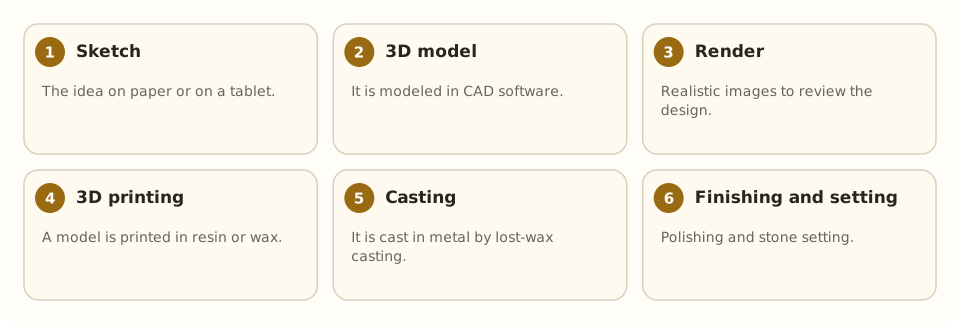
RhinoGold: RhinoGold is an extension of Rhinoceros, a popular 3D modeling program. It is designed specifically for jewelers and includes specialized tools for jewelry design, creating settings and generating realistic renders.
Matrix: Matrix, also based on Rhinoceros, is a 3D modeling program designed for the jewelry industry. It provides specific tools for creating jewelry, from sketches to final models.
3Design: 3Design is a CAD program dedicated exclusively to jewelry design. It offers an intuitive interface and tools specific to jewelers, including parametric design functions and the ability to create detailed models.
JewelCAD: JewelCAD is a CAD program specialized in jewelry that allows designers to create precise and realistic 3D models. It offers specific tools for creating rings, necklaces, earrings and other types of jewelry.
T-Splines (now Fusion 360): Fusion 360, from Autodesk, acquired T-Splines and is a 3D modeling tool that lets designers create organic and complex shapes. Although it is not designed exclusively for jewelry, it is versatile and used in many industries, including jewelry.
CounterSketch: CounterSketch is a cloud-based jewelry design solution that lets jewelers create 3D models in real time together with their clients. It is an option for those who want to involve clients in the design process.
Blender: Blender is open-source software used in many industries, including jewelry. It is powerful and offers 3D modeling, animation and rendering tools. Although it has a learning curve, it is a versatile and free option.
ZBrush: ZBrush focuses on digital 3D sculpting and is used by some jewelry designers to create detailed, organic models. It is especially useful when looking for a more artistic and sculptural look in jewelry.
When choosing CAD software for jewelry, it is important to consider the user interface, the features specific to jewelers, the rendering capability, compatibility with 3D printing and the designer's personal preferences. Many of these programs offer trial versions, which allow designers to try the software before committing to a purchase.
Related articles
 Design
The coloring of metals
How metal is given color in jewelry: anodizing, patinas, PVD, enameling, heat treatments and electroplating, with their processes.
 Design
The color of metals
Colors of yellow, white and rose gold, silver, platinum, titanium, steel, copper and bronze, and how coatings change them.
 Techniques
Pavé setting
Pavé covers a metal surface with many small stones held by tiny beads of metal, as if “paved”; it gives continuous sparkle.